

Your CardPointe Terminal Quick Reference Guide
Ingenico Desk 2600
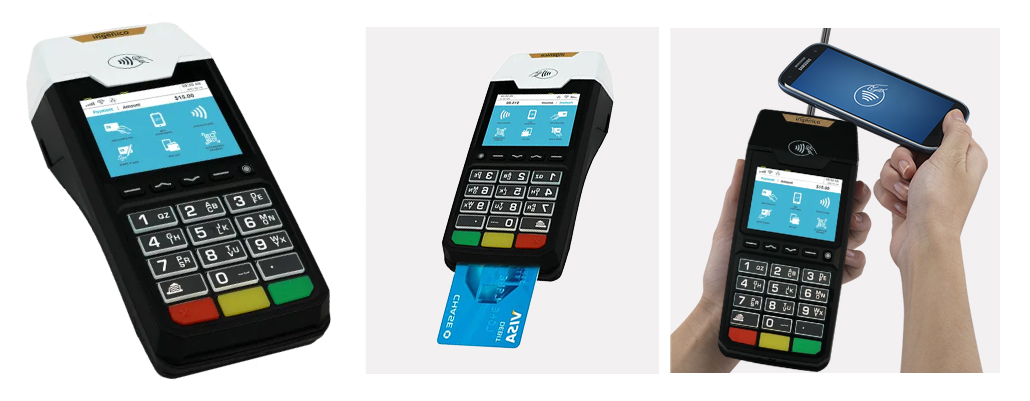
Running a Sale (Retail)
To run a sale transaction, do the following:
- Press 1 for Sale.
- Enter the sale amount and press Enter.
- Swipe, insert, tap, or key in the customer’s card.
- If prompted to enter a PIN, ask the customer to enter their PIN on the terminal or the external PIN Pad.
- Optionally, press 2 to print a customer copy of the receipt
Returning/Refunding a Transaction
To return (refund) a transaction, do the following:
- Press 2 for Return.
- Press 1 for Credit.
- Enter the refund amount and press Enter.
- Swipe, insert, tap, or key in the customer’s card.
- Optionally, press 2 to print a customer receipt.
Voiding a Transaction
To void a transaction, do the following:
- Press 3 for Void.
- Press 1 to select No for Void Pre-Auth.
- Press 5 to search by card number, or choose a different search option.
- Enter the last 4 digits of the card number and press Enter, or swipe the card.
- Press 2 to confirm.
- Optionally, press 2 to print a customer receipt.
Reprinting a Receipt
To print a receipt for a previous transaction, do the following:
- Press 6 for Other.
- Press 3 for Reprint.
- Press 1 for Last Receipt or press 2 to search for a transaction.
Last Receipt
Press 1 for Merchant Copy, press 2 for Customer Copy, or press 3 for Both.Search for a Transaction
- Press 1 to select No for Reprint Pre-Auth.
- Press 5 to search by card number, or choose another search option.
- Enter the last 4 digits of the card number and press Enter, or swipe the card.
- Select the transaction to reprint and press Enter.
- Press 1 for Merchant Copy, press 2 for Customer Copy, or press 3 for Both.
Printing a Report
You can view and print reporting details on your terminal.
To print or view a report, do the following:
- Press .,#* for the Admin Menu
- Press 1 for the Reports Menu.
- Select a report and any additional options.
- Press 1 to print the report, or press 2 to view the report on the terminal.
Manually Close and Settle a Batch
At the end of a shift or business day, you can manually close and settle the open batch.
To manually close and settle a batch, do the following:
- Press 5 for Settlement.
- Press 2 to close the batch and deposit funds.
- Press 2 to print a report, or wait 15 seconds for it to print automatically.